InnerVoice Mobile
The award-winning app that bridges the gap between virtual and physical worlds—teaching communication in context so skills carry over to real life.
Designed by and for autistic communicators. Universal design that works for any child with communication challenges and delays.
Why trust InnerVoice?
Created by speech-language pathologists with 40+ years combined experience, backed by millions in research grants, and recognized by Microsoft, Mensa, and the National Academies of Sciences.
Mensa Award
2013 Intellectual Benefits
Microsoft
AI for Accessibility
NSF Grants
Phase I & II SBIR
NIH Grants
R43 Research
Backed by NSF and NIH research funding— proving that this technology is grounded in rigorous science, not just good intentions.
Teaching toward speech
InnerVoice isn't designed to replace natural communication. It's designed to teach it.
AI that identifies literally anything
Point your camera at any object—even unusual ones like a djembe drum—and InnerVoice will identify it, explain it, and start a conversation about it. Powered by modern large language models and optical character recognition.
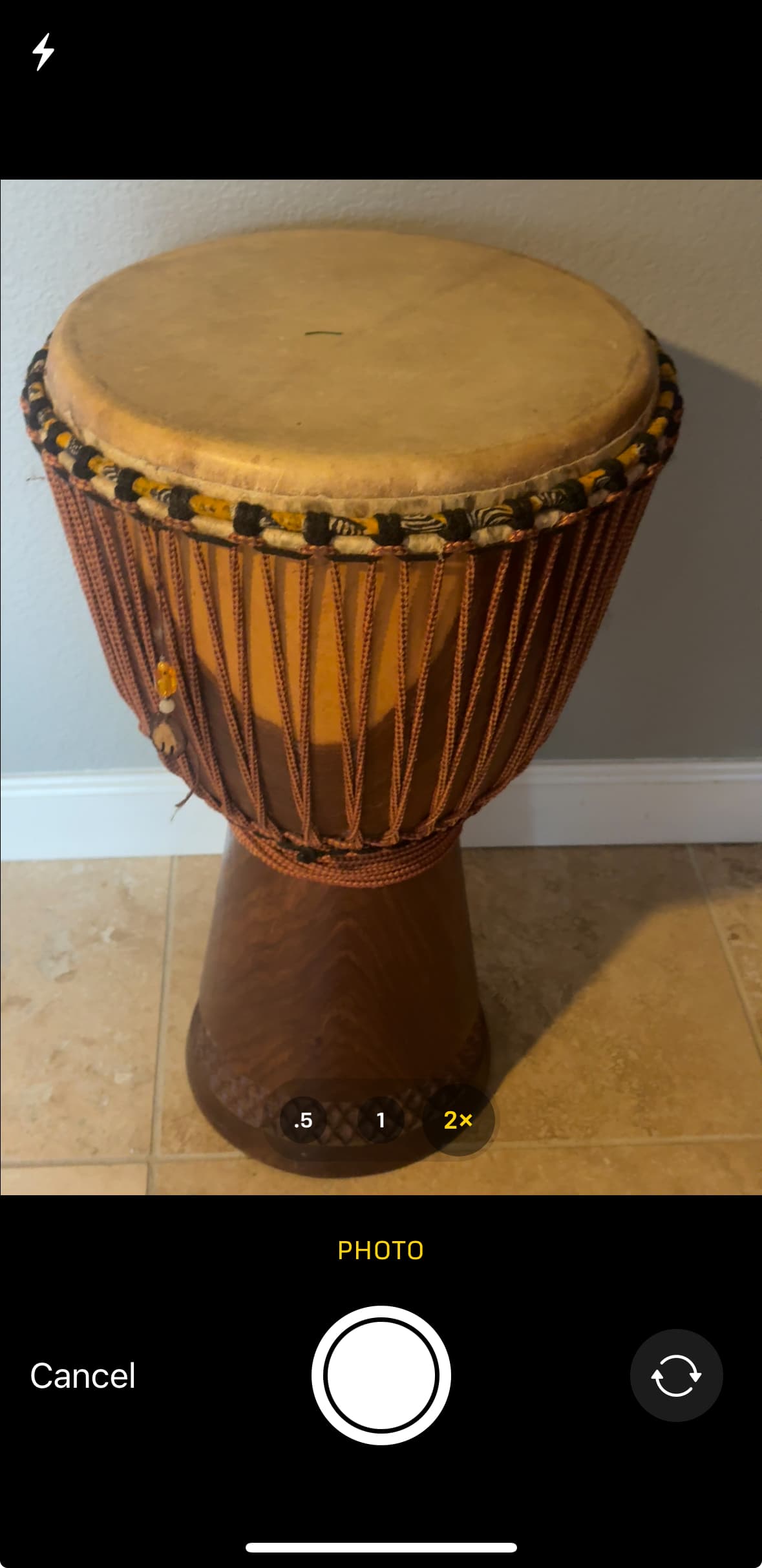
1. Point camera at any object
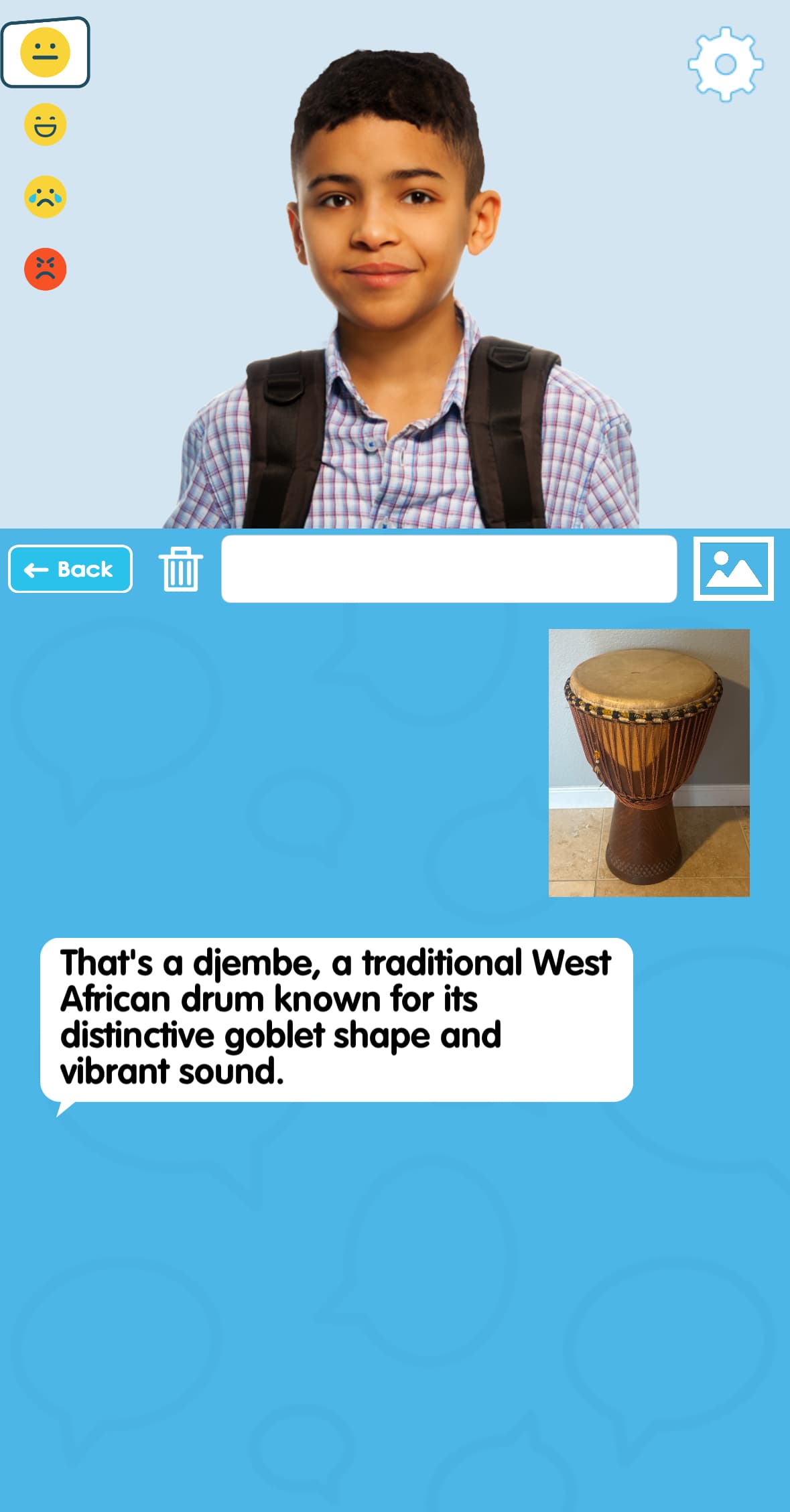
2. AI identifies and explains it
Transform your visual world into language—connecting environment, speech, and text.
Practice real conversations
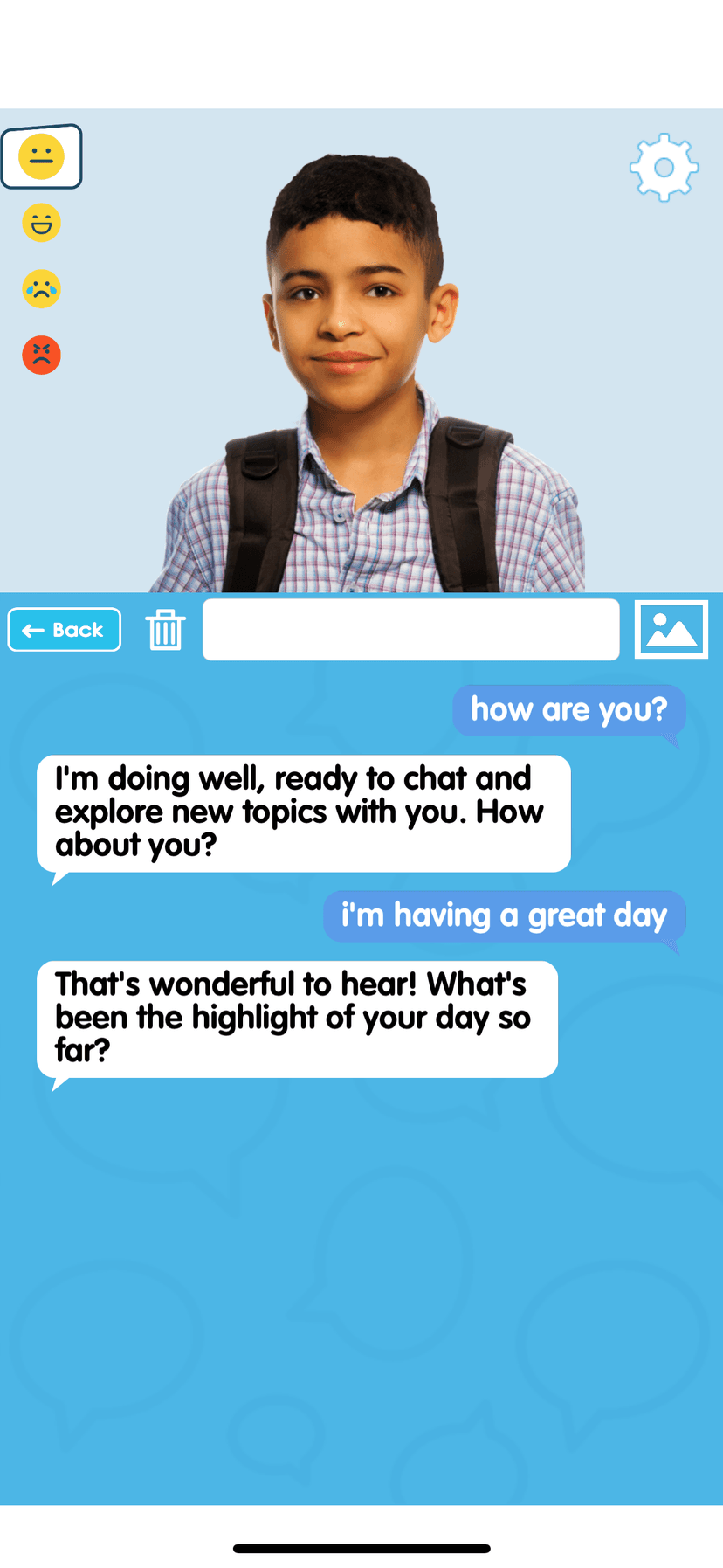
The AI chatbot teaches conversational skills naturally. Ask questions, make statements, practice speaking independently—all with an engaging animated avatar.
- Natural back-and-forth exchanges that model real conversation
- Explore topics of interest—from everyday objects to complex ideas
- Build confidence in a safe, patient, non-judgmental environment
Avatars that capture attention
Create avatars from photos of yourself, family members, favorite characters, pets, or even drawings. The avatar serves as an engaging way to draw attention toward instructional material.
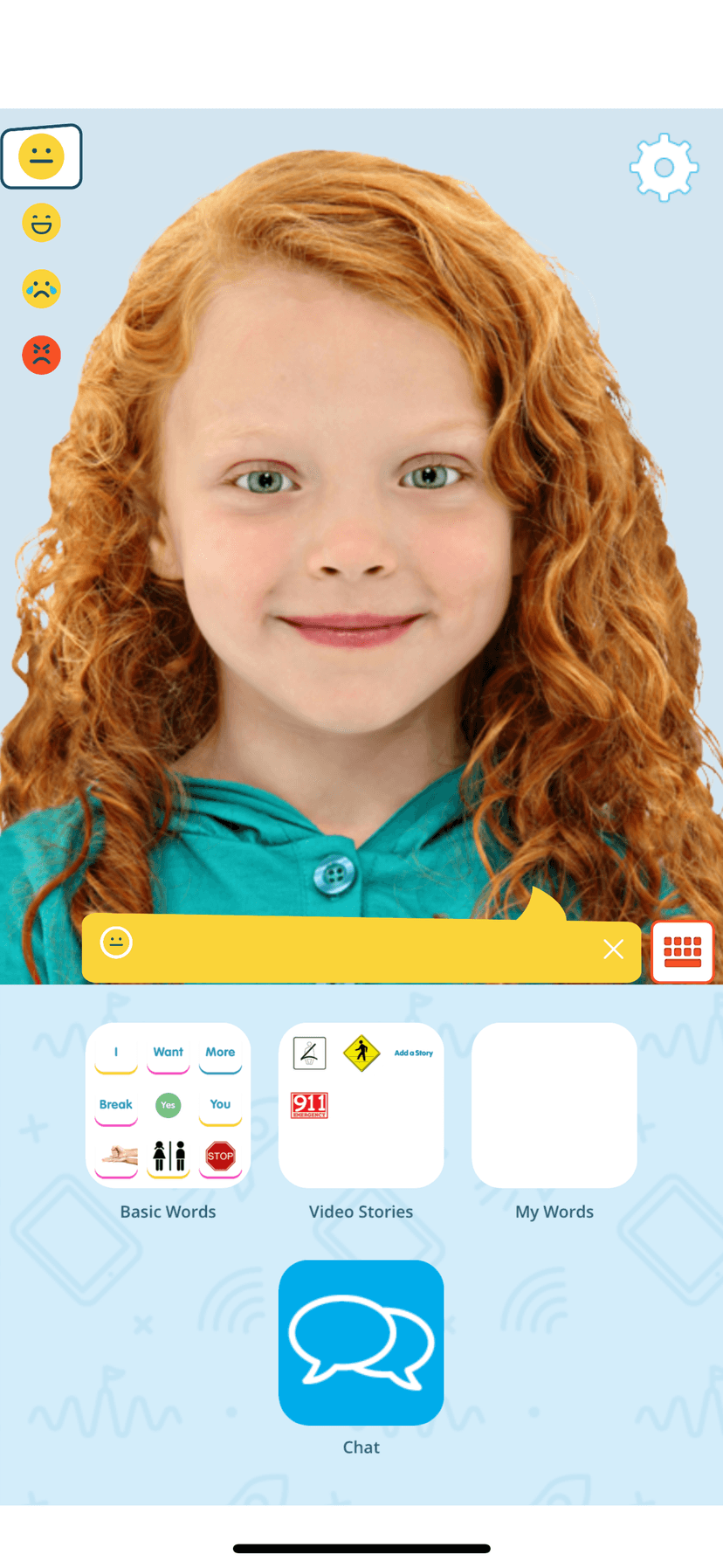
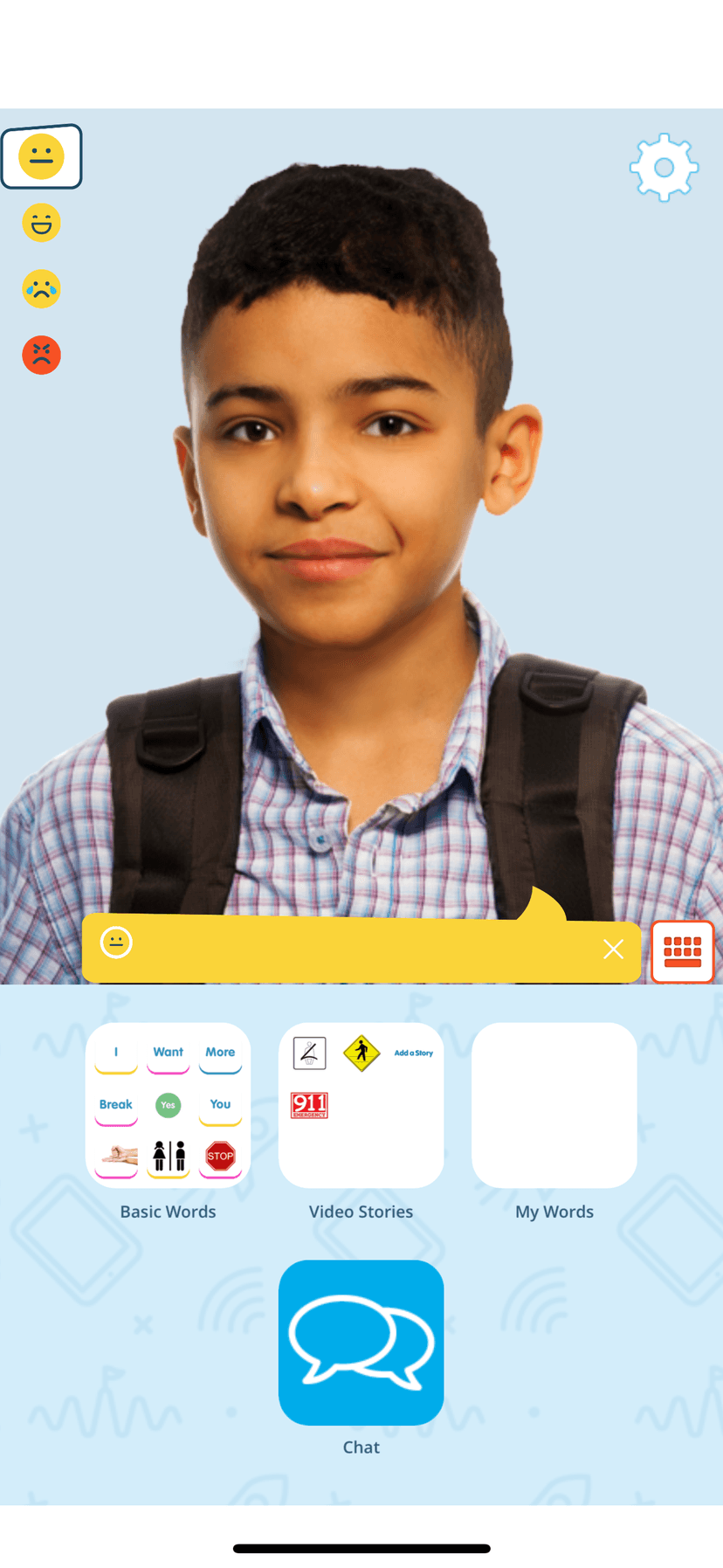
Touch the screen and the avatar's eyes follow your finger—teaching the foundational connection between pointing and eye gaze, which is how we assign meaning to words through jointly attending to items in the environment.
Social-emotional communication practice
Select emotions on the left side of the screen to change your avatar's facial expressions and tone of voice. Practice expressing feelings with embedded avatars or your own photos—learning the connection between emotions and how we communicate them.
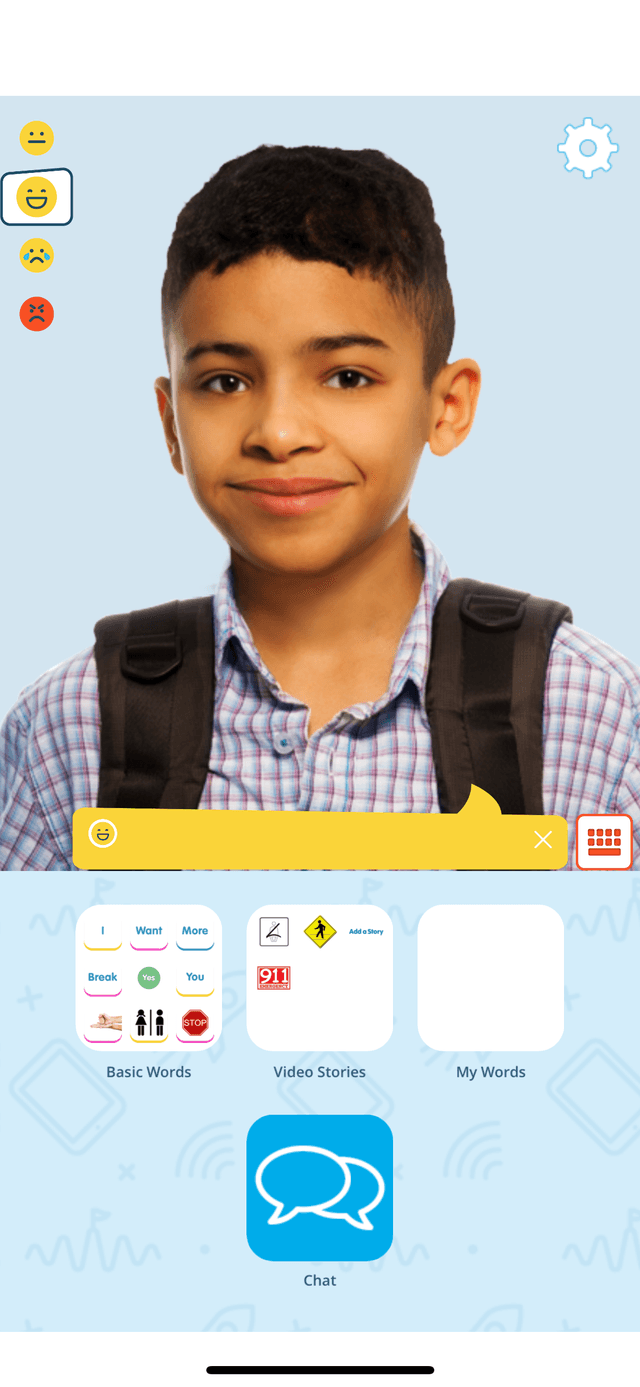
Happy
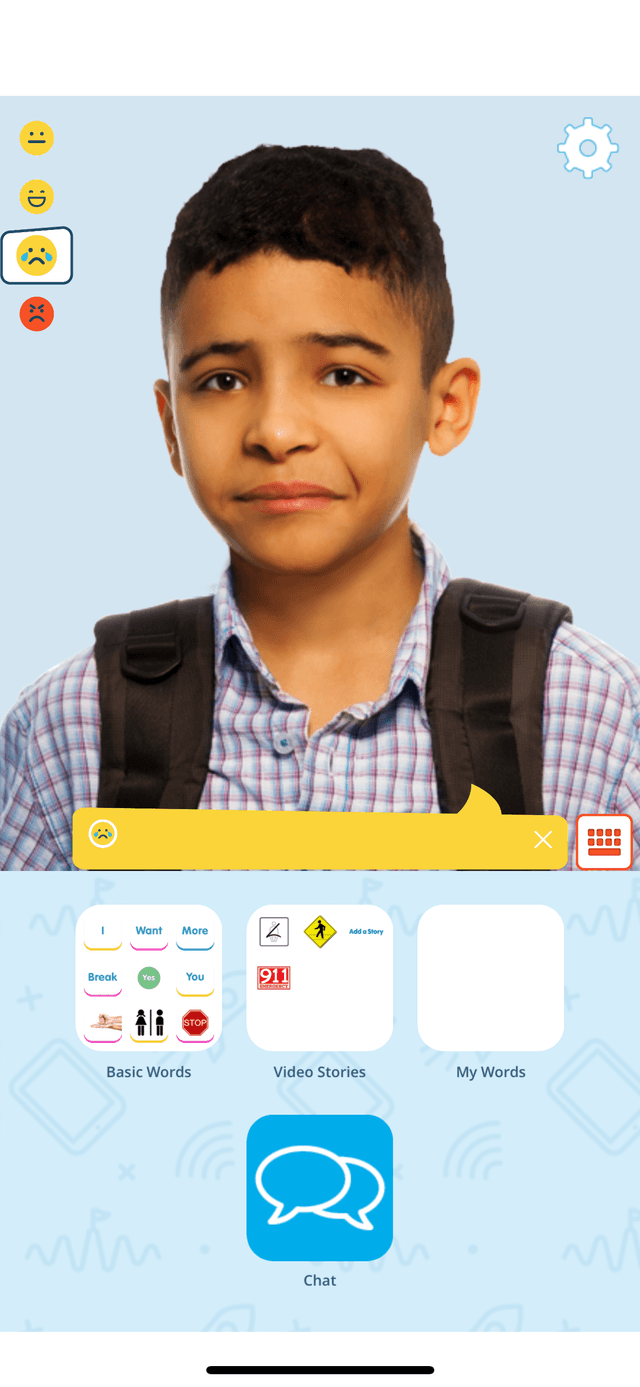
Sad
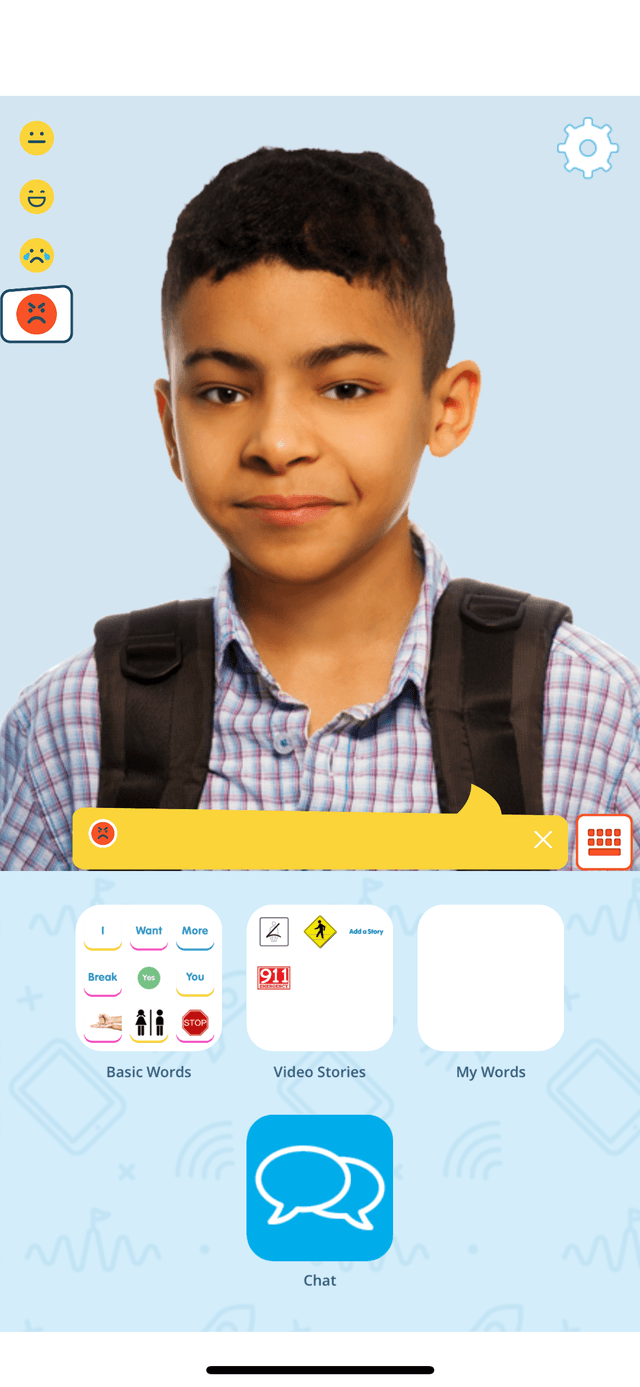
Frustrated
Understanding and expressing emotions is a key part of social communication. InnerVoice helps users see how facial expressions and tone of voice work together to convey feelings.
Standard vocabulary plus your own words
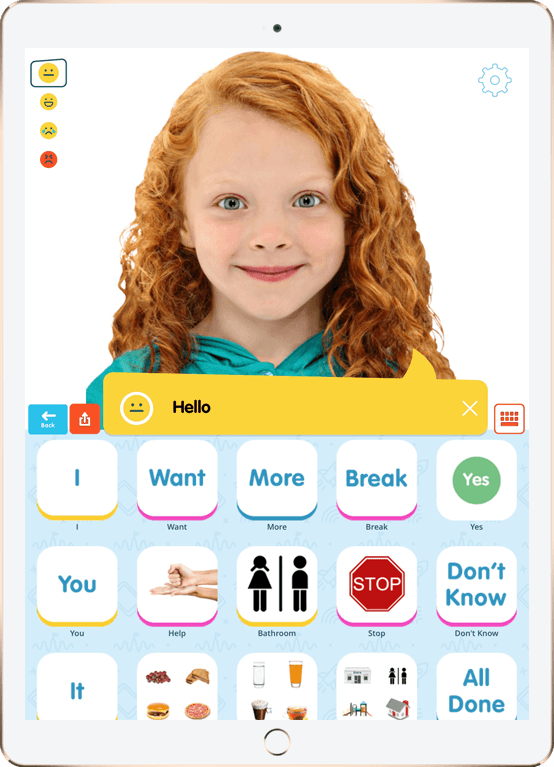
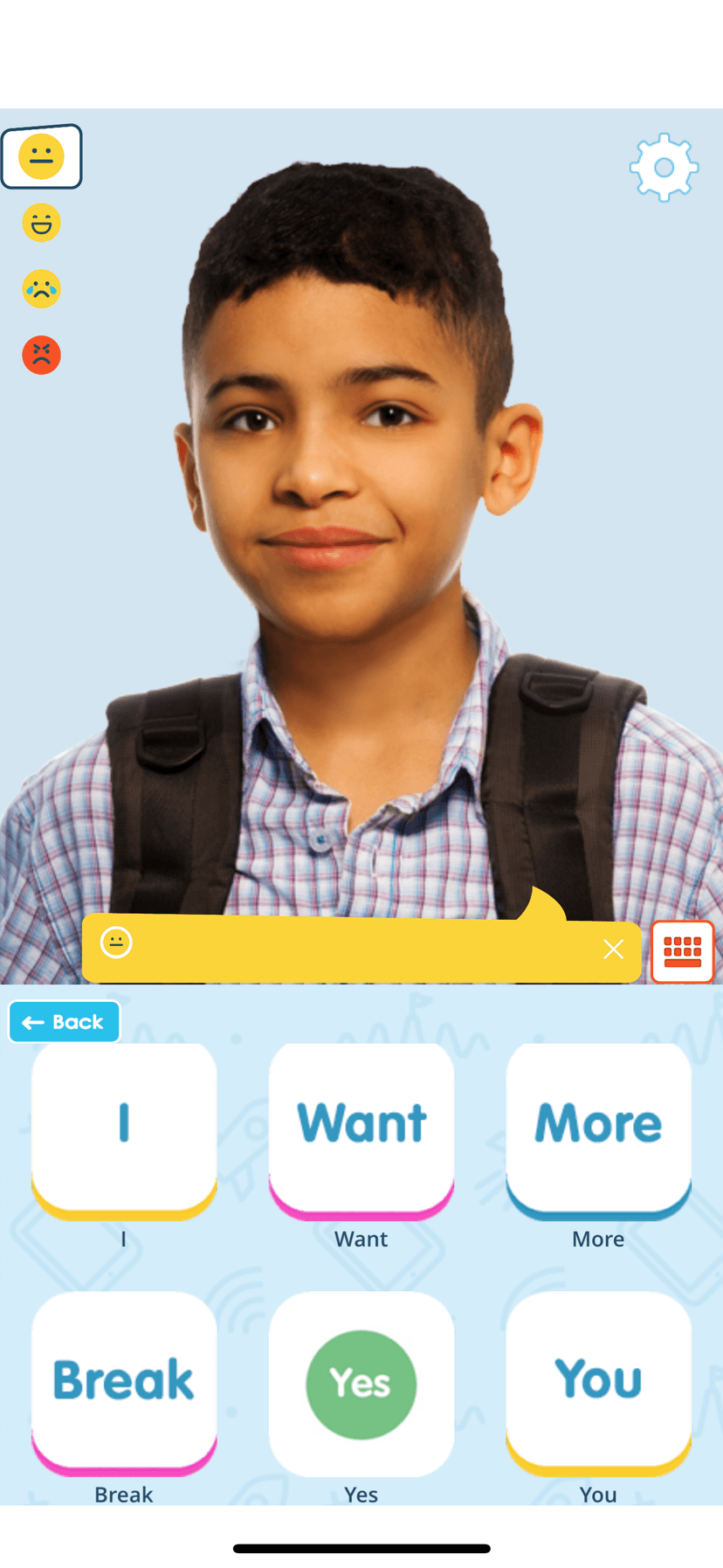
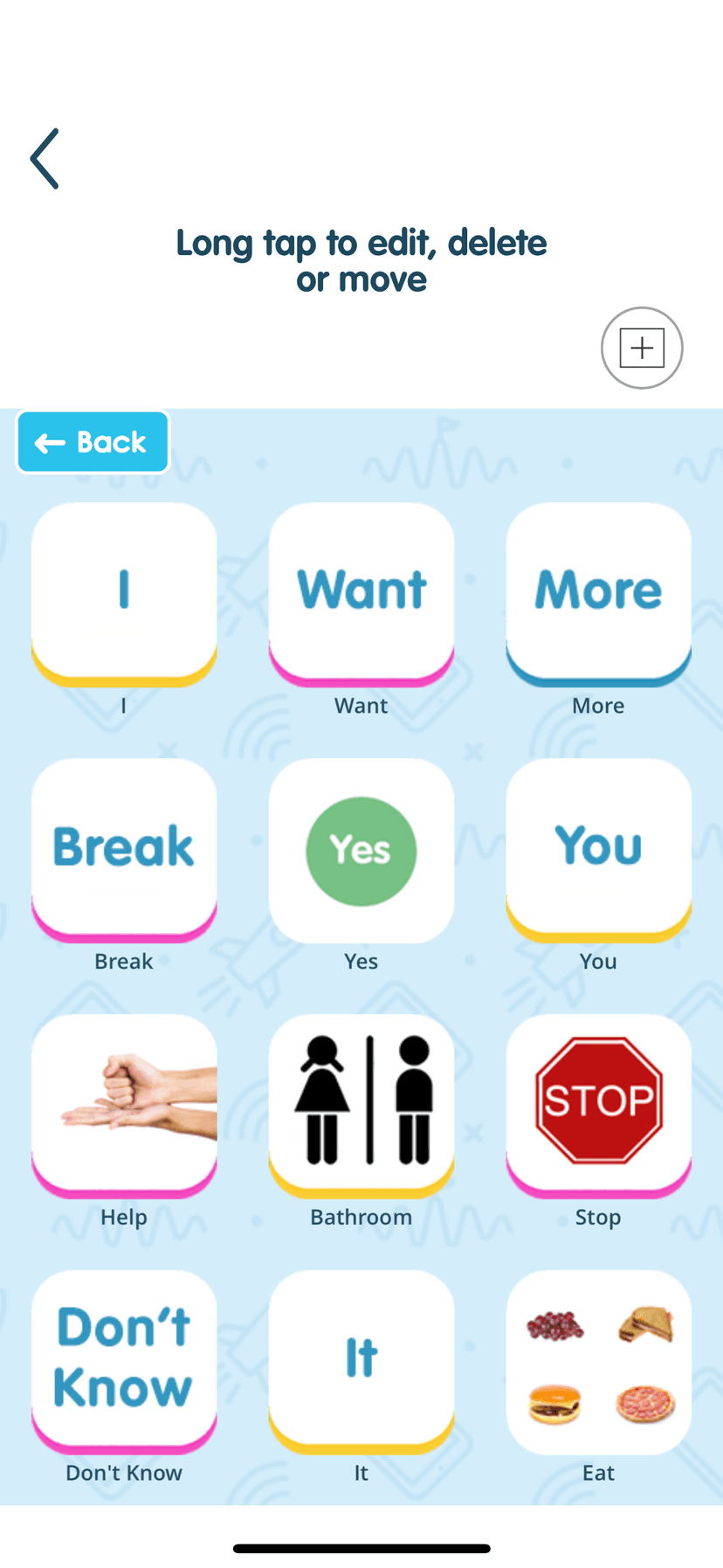
InnerVoice includes a research-based standard vocabulary with essential words like "I," "Want," "More," "Break," "Yes," and "You"—organized in a clear, easy-to-use grid.
- Basic Words: Pre-loaded vocabulary for immediate communication
- Video Stories: Social narratives and visual supports
- My Words: Create custom buttons with photos, videos, or GIFs
- Simple Editing: Add new words in seconds with our intuitive system
With embedded symbols, photos, videos, and GIFs, you can create a nearly infinite vocabulary tailored to the user's specific needs and interests.
Communication that comes alive
InnerVoice Mobile isn't just another AAC app. It's a complete communication and learning system built by speech-language pathologists who understand what actually works.
Animated Avatars
Create personalized avatars from any photo. Watch them speak with lip-sync animation and express emotions through facial expressions and tone of voice.
Vision to Speech
Point your camera at anything. Our AI instantly identifies objects and describes scenes, transforming the visual world into spoken language and text.
Video Self-Modeling
Import photos and videos to teach concepts, read social stories, learn communication skills, and shape echolalia into functional responses.
Remote Prompting
Parents and therapists can send real-time prompts that model communication within conversations, letting learners see themselves succeed.
Eye-Gaze Tracking
The avatar's eyes follow finger movements across the screen, teaching the foundational connection between pointing, eye gaze, and word meaning.
AI Conversation Practice
Practice natural conversations with our intelligent chatbot. Ask questions, make statements, and build speaking confidence independently.
Beyond static symbols
Many words need movement, context, or real-world examples to convey meaning. InnerVoice goes far beyond traditional picture boards.
Photos & Symbols
Use real photos, traditional symbols, or any image
Videos & GIFs
Show actions, movements, and abstract concepts
Visual Stories
Multi-sensory comprehension with speech and text
Animated Avatars
Engaging characters that model speech
Simple, fair pricing
Start free, upgrade when you're ready. Special discounts during Autism Acceptance Month (April) and AAC Awareness Month (October).
Free
Get started with core features
- Basic avatar creation
- Core AAC buttons
- Limited vocabulary
- Text-to-speech
AI Toolkit
Full AI-powered features
- Everything in Free
- AI Vision-to-Speech
- AI Conversation Practice
- Unlimited vocabulary
- Video self-modeling
- Remote prompting
Lifetime Access
Until January 1, 2026
Best value—pay once, use forever
- Everything in AI Toolkit
- One-time purchase
- No recurring fees
- All future updates included
Starting Jan 2026: $99/year due to advanced AI features
Video Stories solve the pronoun problem
When adults read social stories using "I" and "me," children with echolalia often get confused—who is "I"? InnerVoice solves this by putting the child's own avatar in the story.
Watch: Video Stories in action
The Traditional Problem
When a therapist reads: "When I get in the car, I will put on my seatbelt..."
The child hears "I" referring to the adult. Children with echolalia often refer to themselves as "you" because that's what others call them—leading to circular communication patterns that are hard to unlearn.
The InnerVoice Solution
The child's own avatar reads the story: "When I get in the car, I will put on my seatbelt..."
Now "I" clearly refers to the child. They see themselves saying "I" and "me" in proper context, building correct pronoun use through self-modeling.
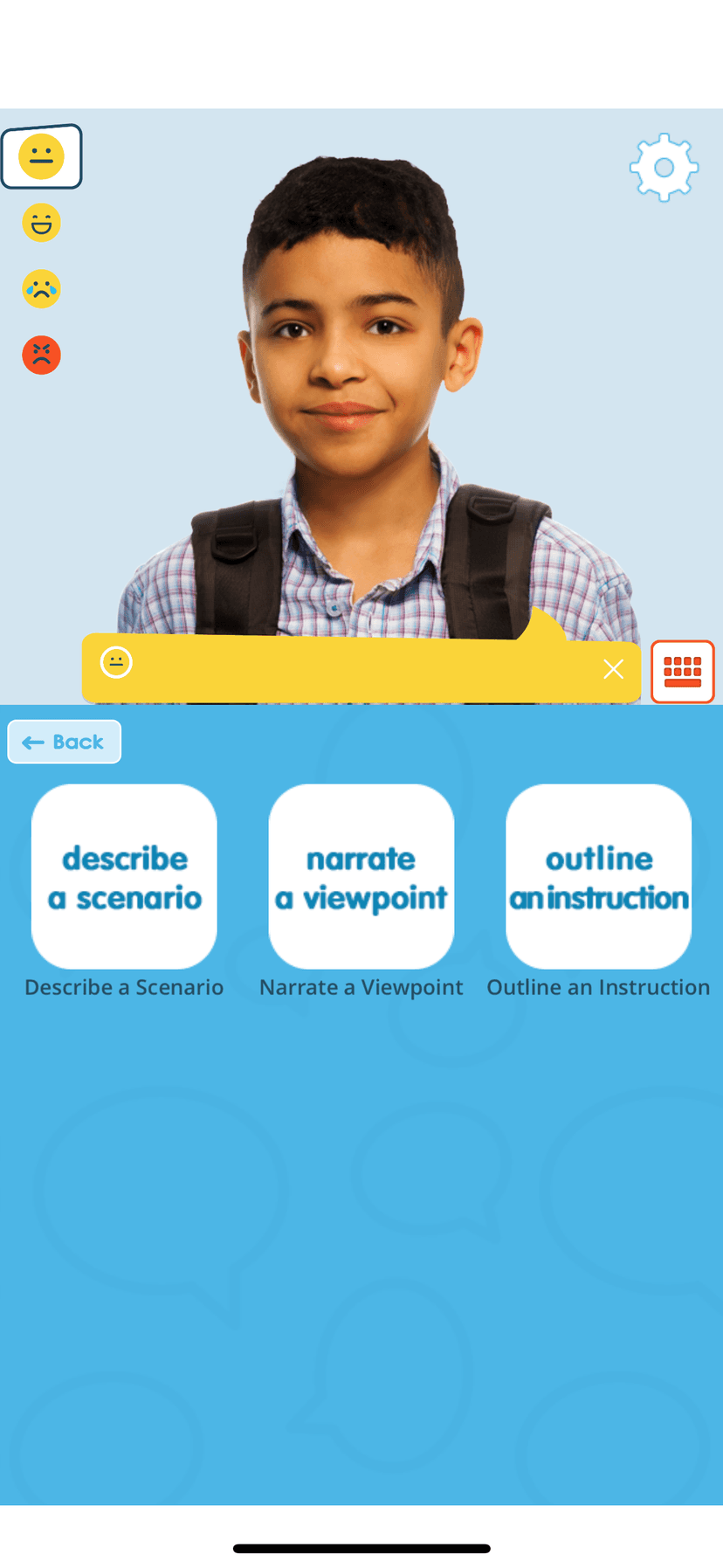
Three templates plus "Make Your Own" for custom social stories
Pre-built stories for common scenarios
Leaving the House
Practice the steps of getting ready and leaving safely with a parent or caregiver
Crossing the Street
Learn to stop, look both ways, and cross safely—narrated in first person
Calling 911
Understand when and how to call for emergency help in a crisis situation
Simple editing system—no training required
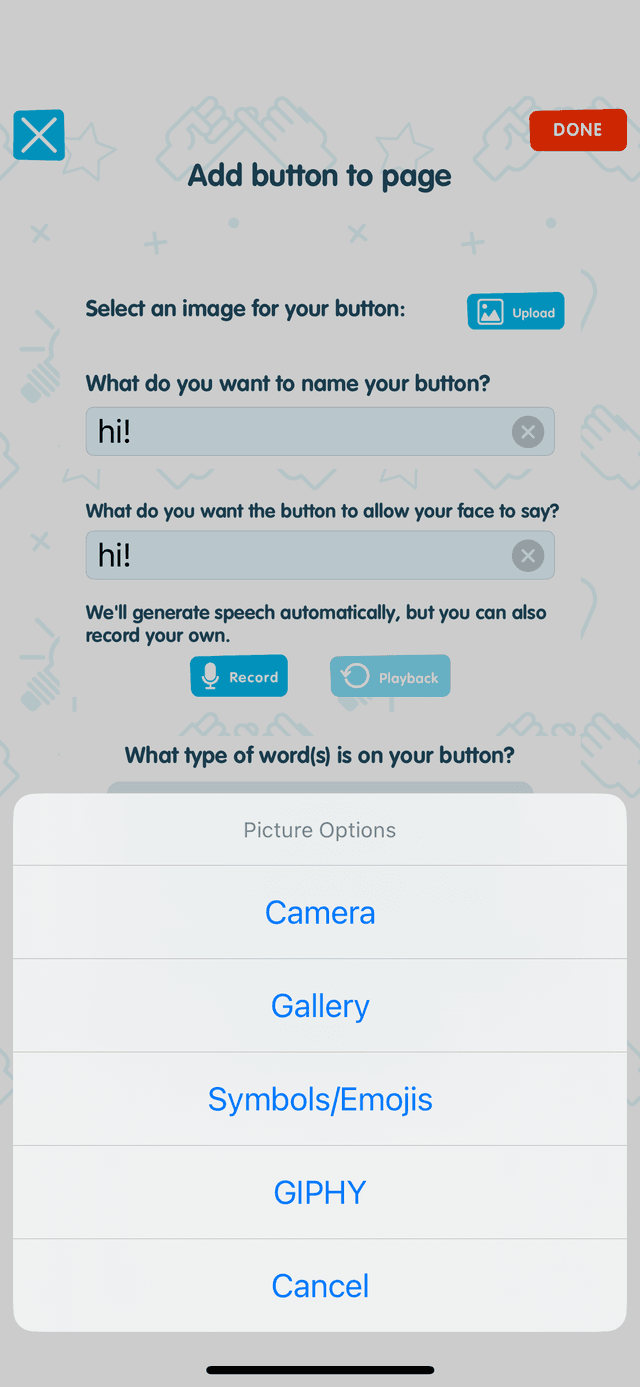
Create custom buttons in seconds. Add images, GIFs, or videos to teach context-dependent and abstract concepts like prepositions, pronouns, and core vocabulary words.
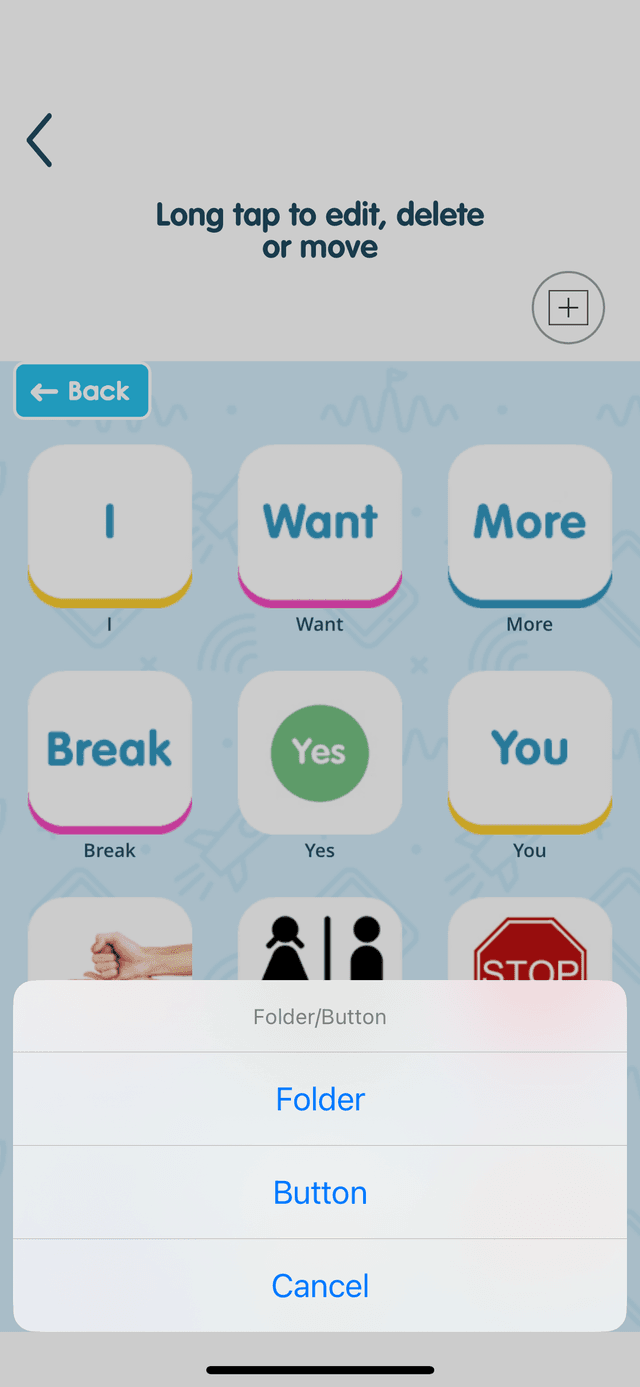
Long tap to edit, delete, or move
Multiple image sources
Built-in GIPHY search for animated, context-rich buttons
Create Buttons Your Way
- Camera: Take photos of real objects in the child's environment
- Gallery: Use existing photos from your device
- Symbols: Access standard AAC symbol sets
- GIPHY: Search animated GIFs to show words in action
Flexible Speech Options
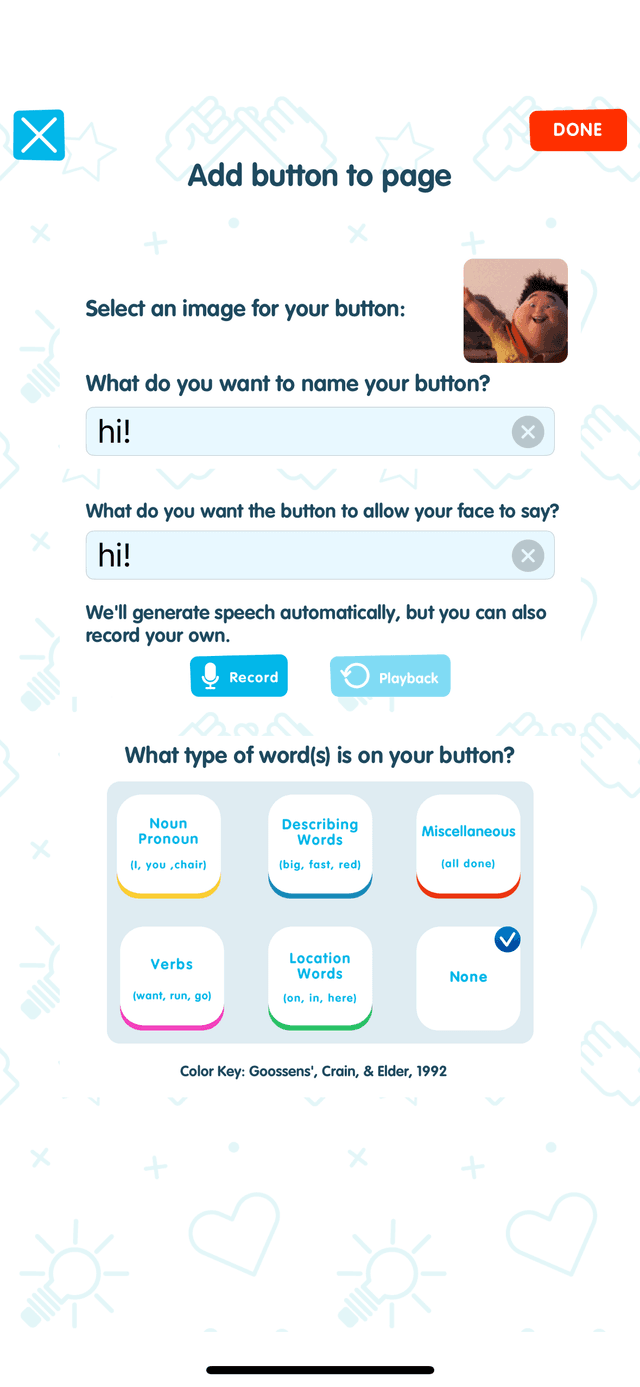
Auto-generated text-to-speech works instantly, or record your own voice for a personal touch.
Research-Based Color Coding
Buttons are automatically color-coded by word type using the Goossens', Crain, & Elder (1992) system—the same framework used by speech-language pathologists worldwide.
Adjustable Settings
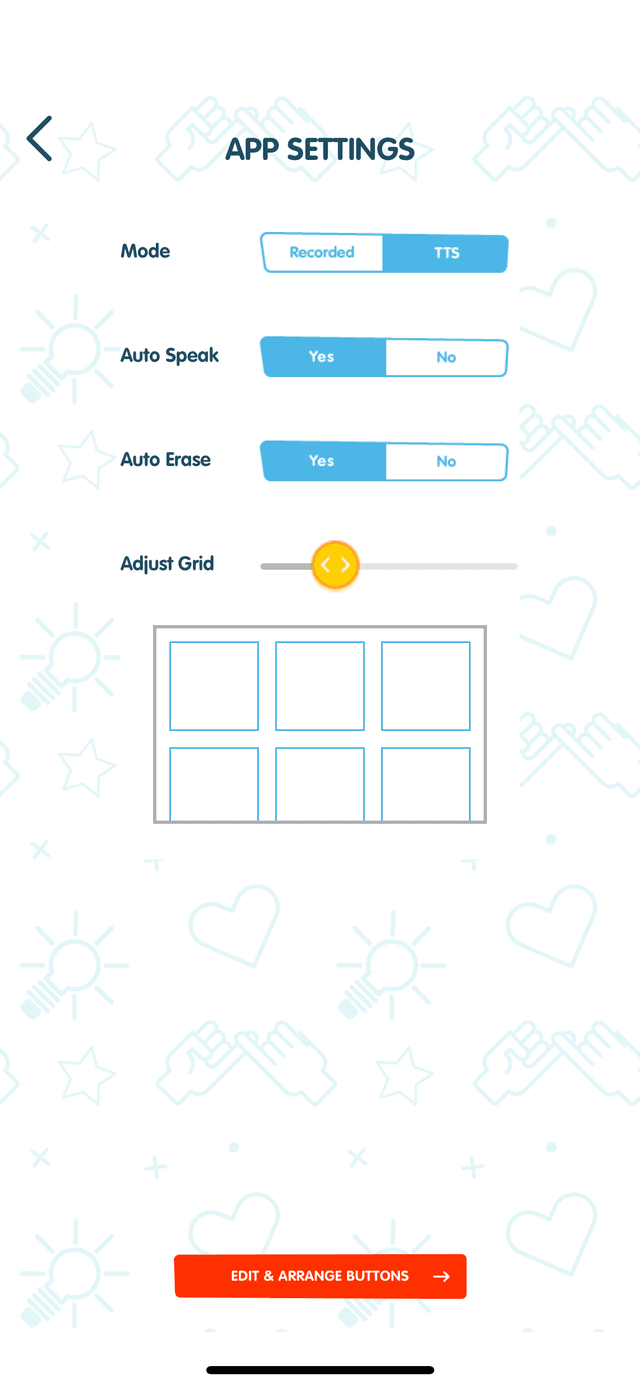
Recorded or TTS mode, auto-speak, adjustable grid size
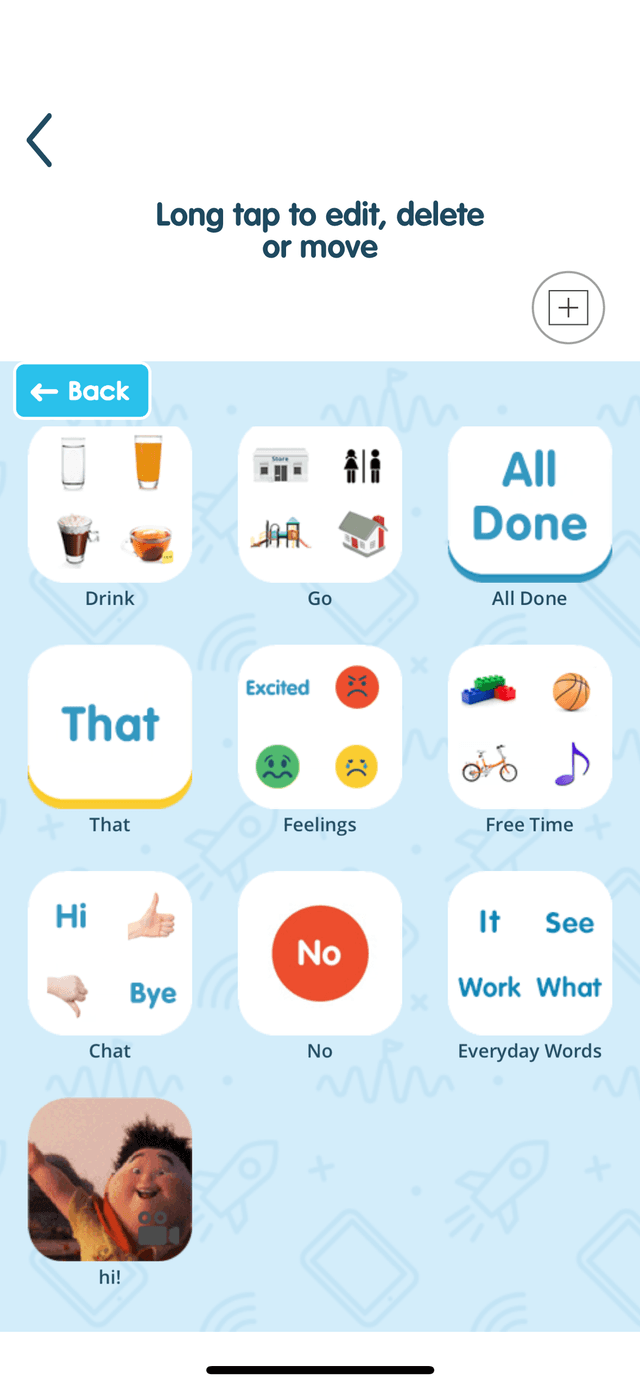
Organized Folders
Group vocabulary into categories like Drink, Feelings, Free Time

Integrated Experience
Avatar and vocabulary work together seamlessly
Powerful features for real learning
Translation Support
Download translation keyboards to communicate with people from diverse backgrounds
Handwriting Recognition
See your handwriting spoken by an avatar, connecting writing, reading, and speech
Quick Customization
Create or edit buttons in seconds with our intuitive, research-based interface
Emotion Pairing
Combine facial expressions, tone of voice, and text for richer communication
Evidence-Based Practices
InnerVoice incorporates multiple evidence-based practices recognized by the National Professional Development Center on Autism:
- Technology-Aided Instruction (TAII)
- Naturalistic Intervention
- Parent-Mediated Instruction
- Video Modeling/Self-Modeling
- Visual Supports
- Social Stories
- Joint Attention Intervention
Your Data Stays Yours
InnerVoice is built with privacy at its core. We process inputs through AI and return responses—we don't store your data.
No Data Storage
Images and text processed by AI are not stored on our servers. Process and forget.
Encrypted Transit
TLS 1.3 encryption for all data transmission—bank-level security.
FERPA Compliant
Education version meets federal student privacy requirements.
COPPA Compliant
Safe for children under 13 with proper privacy protections.
“All you have to do is open a little crack in the door,
and they all run through it.”
See how InnerVoice helped Sarah find her voice in the classroom.
“Ever since Sarah came into my classroom, she's not communicated with me or the other kids in any way. I needed a new way to reach her.”
Babies learn to communicate by looking directly at their parent's face, then learning to imitate. But babies with autism have big challenges looking at faces.
Digital faces engage them immediately.
Using Microsoft AI, InnerVoice creates animated avatars that simulate how parents naturally teach their children to talk. A child takes a picture, and an avatar describes it—just like mom or dad would.
The result?
“When InnerVoice came into the classroom, we noticed instant change. Sarah absolutely floored me. With InnerVoice, she has a voice.”
Microsoft's AI for Good provided crucial technology that allows people to practice speech and language skills in a natural way. It gives every single person access.
Ready to bridge the gap between virtual and real?
Join 25,000+ families using InnerVoice Mobile to teach communication in context. Free tier available on iOS.